Version-Stepped PHP Migration Services

Move one supported version at a time, with tests behind every step.

Your application probably runs fine. Customers use it, the team ships features on it, and nothing has fallen over. The trouble is the calendar. PHP gives each version two years of regular fixes and two more of security fixes, and then it stops. Everything older than 8.2 already gets no fixes from the PHP project, 8.2 itself reaches the end of security support on December 31, 2026, and the packages and frameworks around it age on their own schedules.

Projects that move off an old version go wrong in predictable ways. Someone jumps from PHP 5 or 7 straight to a current version and finds removed features nobody listed. A package the application depends on was abandoned years ago. A framework sits two major versions behind. Or a rewrite begins, the roadmap freezes, and the old system keeps running anyway. All of these start the same way: nobody mapped the application before changing it.

Cabot starts with an inventory of the code, its Composer packages, extensions, framework version, scheduled jobs and hosting, and an assessment that can end in a plain recommendation to keep the current version for now. When a move is the right answer, we pin current behavior with tests, upgrade one supported version at a time, move the framework, database and host in the same plan, and run old and new side by side until the outputs match.

Tell us which PHP version you run

Share the PHP version, the framework and how the application is hosted. An engineer replies with the first scoping questions.

Thank you! Your submission has been received!
Oops! Something went wrong while submitting the form.

No obligation. Your details stay private.

What PHP migration actually involves

PHP migration is the move of a PHP application, its framework, Composer packages, database and hosting to a version of PHP that still receives security fixes, in tested steps and without changing the behavior the business depends on.

That separates it from four things it is often confused with. Keeping the current version running, sometimes with extended support from a third party vendor, leaves the code as it is and buys time, which is a reasonable answer for a stable application while a plan is made. A one jump upgrade changes the version in a single move and leaves you to find what broke in production. Automated refactoring changes the syntax quickly but cannot tell which behavior the business relies on. A full rewrite in another language starts from a blank page and has to rediscover every rule the old system quietly enforced. A sound migration keeps what the application does and changes what it runs on.

In practice some parts move and some are rebuilt. Code that uses removed or changed features is updated, with static analysis and automated refactoring doing the repetitive part and engineers doing the judgment. Abandoned packages are replaced or forked. The framework is brought up to a version that is still maintained, which is often a larger piece of work than the PHP version itself. The database and the host move with the application, because old PHP usually sits on an old server and an old database. The order is always the same: behavior first, then one supported version at a time, then the framework, then the database and host, then a parallel run.

A word on scope. This page covers moving an application to a supported version, framework and host. It does not cover the schema migrations a framework runs to change a database, or moving a website from one hosting provider to another. Readers who ask whether this is still the right language are asking a fair question, and the assessment answers it in writing. Moving to another language is a separate project, and it is worth considering when the framework is a dead end or the architecture blocks what the product needs.

Migrating is not always the right call today. Third party vendors sell extended support for versions the PHP project no longer fixes, and for a stable application that is a legitimate way to buy time. It does not remove the debt: the packages, the framework and the operating system around the application keep aging. The case for moving builds when your host or auditor flags the version, when a package has no maintainer, when you cannot hire for the skill, when security and compliance needs go beyond what the old design can meet, or when new features keep getting harder to ship. The assessment is built to tell you which case you are in, in writing.

Why legacy PHP systems stall before they move

These are the six reasons technology and operations leaders give when the work slowed down or never started. Most are decided in the first weeks, before anyone writes code.

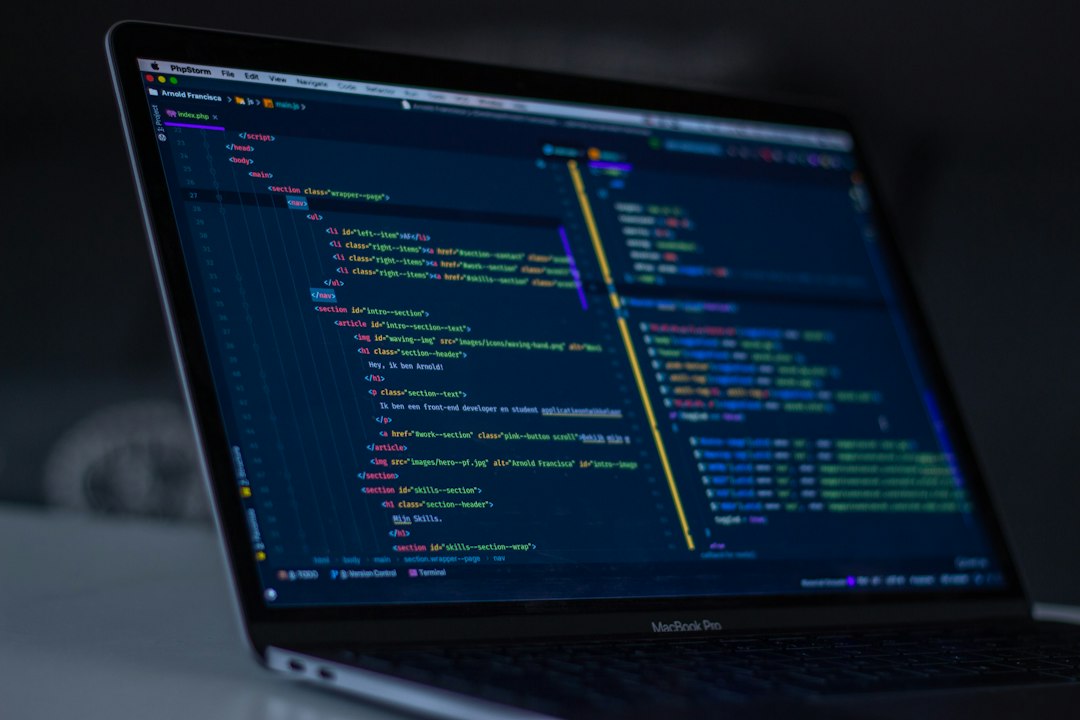
Laptop screen showing lines of programming code

The PHP migration services we deliver

Our PHP migration services come in six parts, and most engagements use all of them in a sequence set by the assessment. Some organizations need the full path from inventory to retiring the old environment. Others need only the framework brought forward, or only the database and host moved. We give you our recommendation and our reasoning before you commit to anything.

Every part produces something you can open and check: an inventory, a static analysis report, a test suite that pins current behavior, a working build, a staged release. Testing and security run inside every part instead of sitting as separate lines.

What does PHP migration cost, and what moves the number?

Six things set the cost of PHP migration services: the size of the codebase, how many versions behind it is, the state of the framework and its packages, how much of the code has tests, the database and hosting it sits on, and the number of integrations and scheduled jobs. Two applications on the same version can differ many times over, so any figure quoted before an assessment is a guess. Model a range in a few minutes, then tell us what you run and we will scope it properly. We would rather give you a narrow range you can plan around than a wide one that protects us.

What does a PHP assessment tell you before you commit?

A short assessment answers the questions that sink most migrations of this kind before any code changes. It runs in four parts, in this order, and it can end in a recommendation to keep the current version for now.

Scope your own application: send us a short description of what you run and we will tell you what the assessment would cover.

What does AI actually change in a PHP migration?

It changes how fast the slow parts go and leaves the judgment where it was. Reading a codebase that nobody documented, tracing which packages and extensions it needs, finding calls to removed or changed features, and drafting a plain language list of the rules the code enforces are all work a model can draft quickly. Deciding which behavior the business still needs, which was a workaround for limits that no longer exist and whether a module should survive at all is not.

The saving concentrates in three places. Discovery goes faster, because a model can summarize an unfamiliar codebase into rules and dependencies for an engineer to check. Test writing goes faster, because characterization tests that record current behavior can be drafted from the code and then run against real data. Refactoring of repetitive patterns goes faster, because a model can propose the same change across hundreds of files for review, which is where a version upgrade spends much of its time.

Rule based refactoring tools and static analyzers are part of the picture, and we treat them as one tool among several. They find and fix many removed and changed features reliably and leave the design questions open: how the framework should be upgraded, which packages to replace and what the data layer should look like. The output is a draft that needs the same tests, review and parallel run as any other, and we would not hand it to you as finished work.

The risk runs the other way. The language is dynamic, so a model can describe a rule with confidence that the code does not implement, and it can miss behavior hidden in magic methods, dynamic includes, framework configuration or a database trigger. So every recovered rule is confirmed against real outputs and against the people who use the system before it counts.

AI shortens the slow parts of a migration. It does not decide which behavior survives, approve a merge or sign off a cutover. Those stay with senior engineers and with you, and where you need help choosing a model your policy allows, our AI development team is part of the conversation.

Three commitments hold on every engagement. Our process is model neutral, so we use the model your policy allows. A senior engineer reviews every change before it merges. And we never train any model on your code or data. Test data is synthetic or masked, so protected health information stays out of model prompts.

What we move your PHP application onto, and the tools we use to move it

Three layers of tooling, chosen against your environment and your team's ability to run the result rather than against our preferences. The target follows what your security team will accept and what your staff can maintain, and we recommend on evidence from the assessment. Our QA and testing practice builds the test suites that compare the new application with the old before anyone relies on it.

What we work in:

Target platforms

PHP 8.5
PHP 8.4
Laravel
Symfony
Composer
Laminas

Data and hosting

MySQL
PostgreSQL
Docker
AWS
Azure
Redis

Delivery and AI tooling

Rector
PHPStan
PHPUnit
PHP CodeSniffer
GitHub Copilot
GitHub Actions

Where AI sits at each stage of the move, and where it does not

Each stage below has an output you can inspect and a person who approves it. Nothing an AI drafts reaches your data, your code or your production system without a named engineer accepting it first.

Migration stage What AI does What stays human Tools used
Assessment Reads the code and the Composer dependency tree and drafts a plain language list of removed features, abandoned packages, framework dependencies and business rules Confirming which behavior the business still needs and which was a workaround GitHub Copilot, PHPStan, PHP CodeSniffer
Safety net Drafts characterization tests that record what the application does today, using real outputs as the reference Choosing which behaviors must never change and approving the tests GitHub Copilot, PHPUnit
Upgrade Proposes refactors for removed and changed features and drafts framework upgrade changes and data scripts for review Approving every merge and every data move Rector, GitHub Copilot, PHPStan
Cutover Compares outputs from the old and new environments and summarizes the differences Accepting or rejecting each difference and approving each cutover PHPUnit, GitHub Actions

The last column names the tools, so a security reviewer can see exactly what touched the work. Where your policy limits which tools can be used, the same stages run with the tools you allow and the same human review.

How a Cabot PHP migration differs from a typical vendor's

PHP migration services succeed or fail on the version path, the packages and the cutover, not on the choice of target version. Those are the places projects go wrong, so each row below is a moment where the approach changes the outcome.

Dimension Typical vendor Cabot
Starting point A quote after a short call A written inventory and assessment before you commit
Advice on whether to move Migration is always the answer, or an extended support sale A written recommendation that can say keep the current version for now
Version path One jump to the newest version One supported version at a time, with tests after each step
Packages and framework Left for later or replaced blindly Listed first, then each package replaced, forked or retired on purpose
Database and host Treated as a separate project Moved in the same plan, so the cutover happens once
Testing Tests written after the build Characterization tests that pin current behavior first
Cutover method One weekend switch One workflow at a time, with old and new running side by side
Knowledge transfer A handover document at the end Your engineers in standups and reviews from week one

Ask any vendor when they would advise against migrating. A credible answer comes quickly and names the conditions. Ours is written into each assessment.

The healthcare organizations we migrate PHP systems for

We deliver PHP migration services for three kinds of healthcare organization. Each card says what we understand about that environment, rather than claiming coverage of it.

Across all three the pattern is the same: the application is important enough that a failed cutover is not an option, and old enough that few people hold the whole picture. Where the upgraded platform needs a rebuilt application around it, our healthcare application development practice carries the same discipline into the build.

Industries we already understand

volunteer_activism

Healthcare

shopping_cart

Ecommerce

paid

Fintech

apartment

Travel and Tourism

Client Success Stories

See all Cabot case studies

What a migrated PHP application has to prove before it goes live

Security leads every migration, because the move is your chance to close what the old version never covered. We apply authentication and role based access, encrypt data in transit and at rest, replace string built queries with parameterized ones, log every change to an audit trail, hold secrets outside the code and scan dependencies and fix known vulnerable ones first. Protected health information stays out of test data and model prompts.

Where the system handles patient data, we map who can see what, scope the work to the safeguards your compliance team requires through our HIPAA compliance consulting practice, and document each control the migration touches. For each stage you receive evidence, not assurance: the test results, the reconciliation report, the list of changes with the engineer who approved each one and the plan for returning to the old environment.

Role based access
Authentication and session control
Encryption in transit and at rest
Parameterized queries
Audit logging of every change
Secrets management
Dependency and vulnerability scanning
Synthetic and masked test data
HIPAA aligned controls

How does a PHP application move without the business stopping?

Six steps, each ending in a decision you make rather than a document you receive. Most engagements begin with the first two steps alone, so you can judge the plan and the working relationship before committing to the migration.

Start with step 01: tell us what the application does and we will scope the inventory.

Who owns each part of a PHP migration at Cabot

Accountability is explicit from the first day. A solution architect owns the target design and the order of migration, and answers for choices that are expensive to reverse. A business analyst owns the recovered rules and confirms them with the people who use the system. A data engineer owns the database move and the reconciliation that proves it. Senior engineers own the language and framework work and the merge reviews. A QA automation engineer owns the characterization tests and the comparison between old and new. A delivery lead owns the schedule and tells you plainly when something slips.

Our depth is greatest in four places: reading code nobody documented and finding every package and extension it needs, writing tests that pin down behavior before anything changes, stepping a framework and its language version forward together, and moving MySQL and PostgreSQL data without losing integrity.

If you are searching for a PHP developer, you are probably trying to keep the system alive or to find someone who understands it. A single contractor leaves the same key person risk in place. Our answer is a team that recovers what the code knows, brings it to a supported version with a deep talent pool, and joins your standups and reviews from week one, so the knowledge stays with you. Where a larger group fits, we staff an embedded engineering pod inside your delivery cadence.

Why healthcare technology leaders choose Cabot for version-stepped PHP migration services

A move off an old version is easy to start and hard to finish well. These are the six reasons buyers give when they explain why the work sits with us.

Where to go next, depending on what you run

This move is one of several specific moves. Which page helps next depends on where your system sits today, and it is usually one of three.

Our Clients

Questions technology and operations leaders ask before starting

  1. How do you migrate a PHP application to a newer version?
    We inventory the application, its packages, extensions, framework and hosting, pin current behavior with tests, and then move one supported PHP version at a time. After each step we run static analysis and the test suite. The framework, database and host move in the same plan, old and new run side by side until the outputs match, and each workflow is then cut over with a rehearsed rollback. Our PHP migration services run in stages, not as a one weekend switch.
  2. Which PHP versions are still supported?
    As of November 2026, versions 8.4, 8.5 and 8.6 are in active support, and 8.2 and 8.3 receive security fixes only. Version 8.6 was released on November 19, 2026. Each version gets two years of active support and two more of security fixes, so 8.2 loses security support on December 31, 2026 and 8.3 on December 31, 2027. Version 8.1 and every older one, including 8.0, 7.4 and 5.6, are end of life and get no fixes from the PHP project.
  3. Is it safe to keep running an unsupported PHP version?
    Not for long, and not without compensating controls. An unsupported version gets no security fixes, so every new flaw stays open. Some vendors sell extended support that backports fixes, which can buy time for a stable application while a plan is made, but it does not fix abandoned packages, an old framework or the operating system under them. We recommend a dated plan to move, with controls around the system until it does, and the assessment tells you how much time you realistically have.
  4. Should we upgrade PHP or rewrite in another language?
    In most cases, upgrading in steps is better, because it keeps the behavior the business relies on and keeps feature delivery moving. A rewrite in another language starts from a blank page, has to rediscover every rule the old system enforced and often freezes the roadmap. It can be the right call when the framework is a dead end, the architecture blocks what the product needs or your team already works in another language. The assessment gives you a written recommendation either way.
  5. Can we skip versions and go straight from PHP 5 or 7 to 8.4 or 8.5?
    You can, but it is rarely the safest path. A single jump from 5 or 7 stacks every removed and changed feature into one change, so nobody can tell which one broke production. We step through supported versions, run static analysis and the test suite after each hop, and agree with you where the application should land. Usually that is the newest branch the framework and packages support, which gives the longest runway before the next upgrade.
  6. Will our framework and Composer packages work after the upgrade?
    Some will and some will not, and the inventory finds out which before anything changes. Each Composer package and extension is checked for maintenance status and compatibility with the target version, and the framework is checked against its own support dates. Abandoned packages are replaced, forked or removed. A framework two major versions behind is usually upgraded one major version at a time as part of the same plan.
  7. Is there a tool that upgrades PHP code automatically?
    Yes, rule based tools such as Rector and static analyzers such as PHPStan find and fix many removed and changed features automatically, and AI can propose refactors for review. None of them knows which behavior the business relies on, and none moves the framework, database or host. They give you a draft that still needs tests, review and a parallel run. We use them where they save time and never hand their output over as finished work.
  8. How long does a PHP migration take, and how much does it cost?
    Both follow the same drivers: the size of the codebase, how many versions behind it is, the state of the framework and packages, how much of the code has tests, the database and hosting, and the number of integrations and jobs. We give a timeline and a cost range after the assessment, so you see numbers before you commit. The migration itself runs in staged releases, usually over months, with the old system working throughout. For a first view, use the cost calculator.